What is on the page
- Header
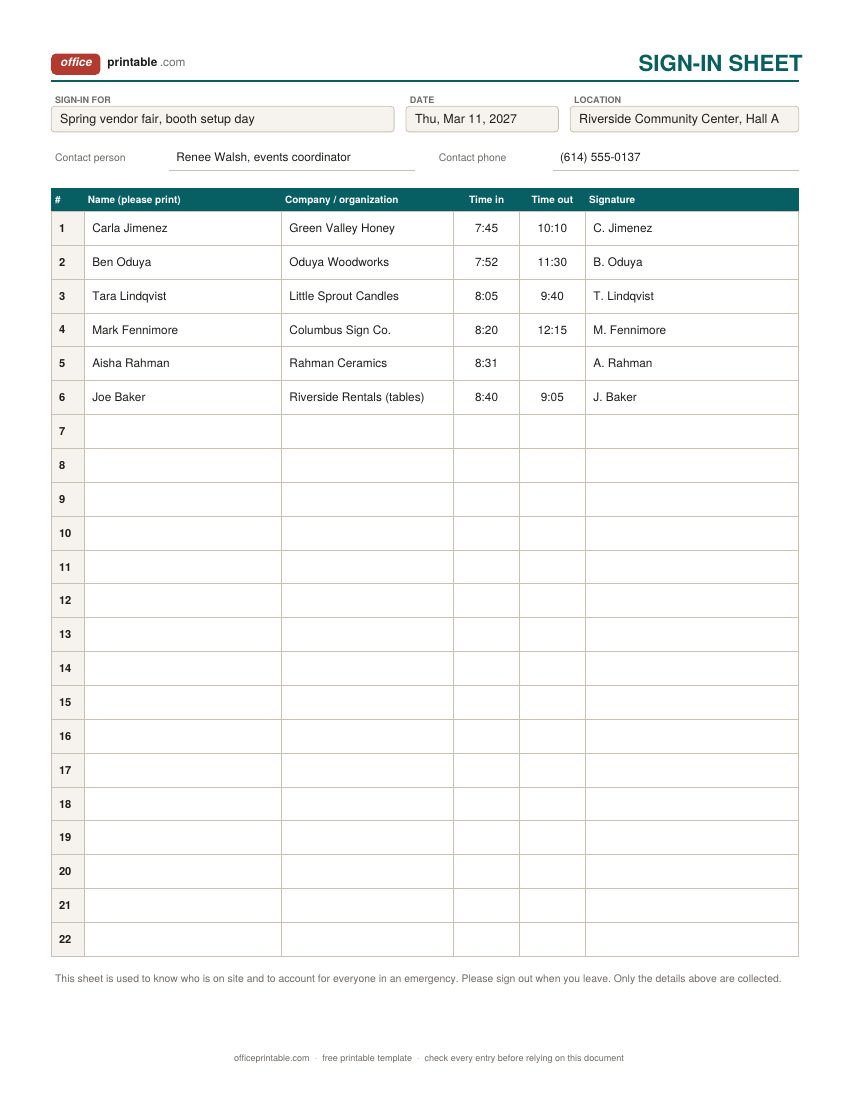
- What people are signing in for, the date and the place. On the general sheet add a contact person and phone, so anyone who finds the sheet later knows who to ask.
- Name (please print)
- A printed name next to a signature. Signatures alone are often impossible to read, and the printed name is what you actually look up later.
- Company or organization
- Useful when people from several businesses share one sheet, such as vendors at a fair or crews on a job. On the meeting sheet it can hold a job title or a street instead.
- Time in and time out
- Write the clock time on arrival and on leaving. A missing time out is the first thing to check when you need to know who might still be inside.
- Signature
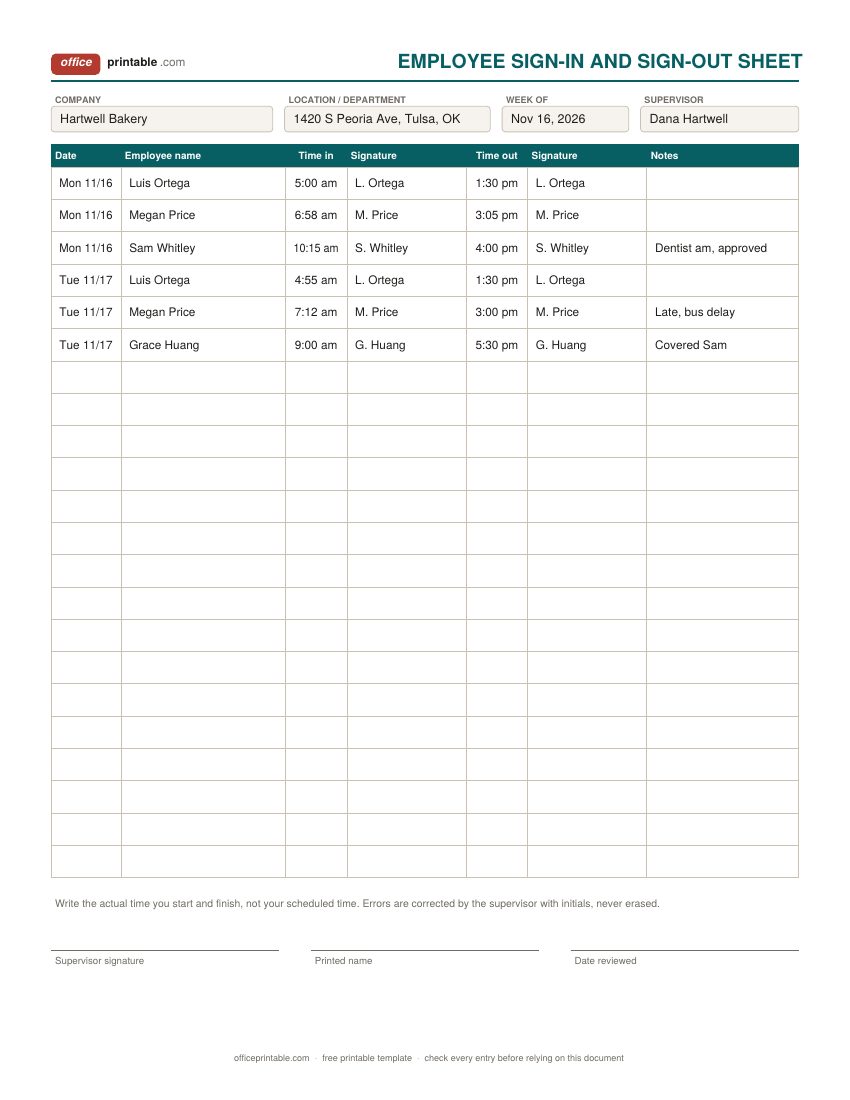
- Confirms that the person wrote the line themselves. On the employee sheet there is one signature for arriving and one for leaving.
- Email, phone and updates box
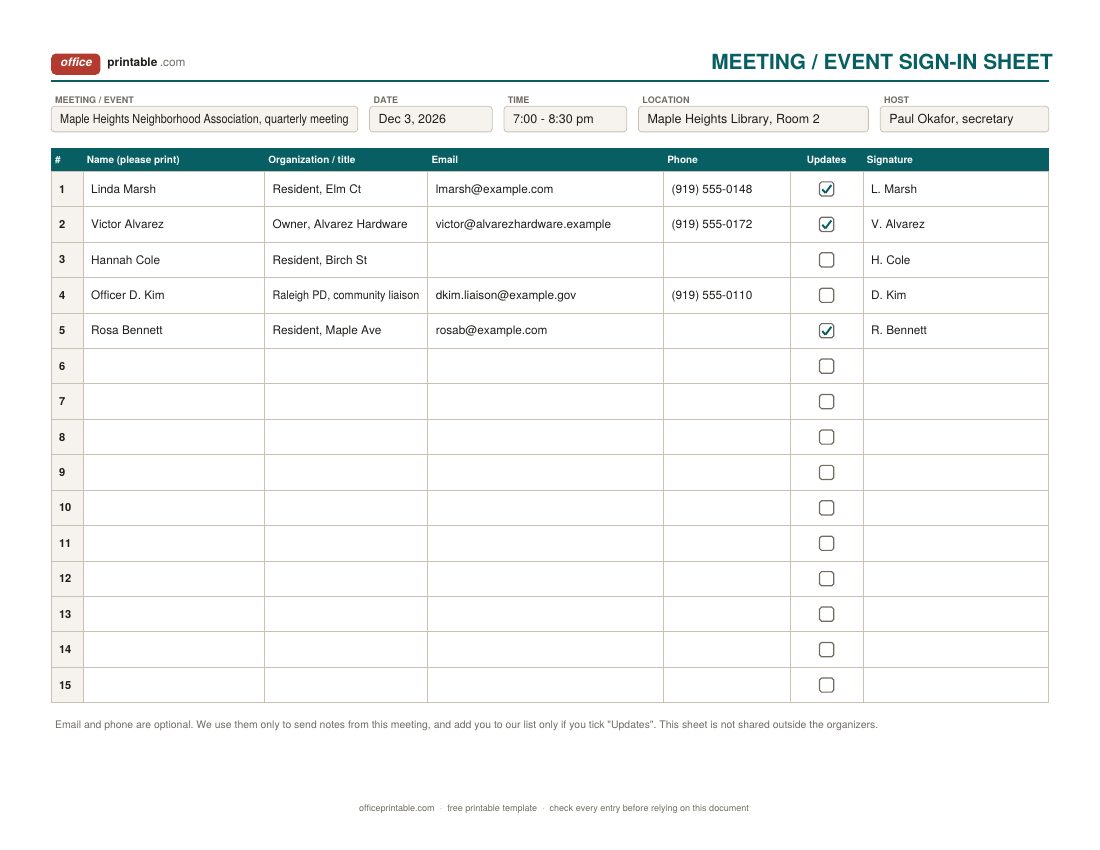
- Only on the meeting and event sheet. Both are optional, and the tick box records who asked to hear from you again.
- Supervisor sign-off
- On the employee sheet, the supervisor reviews the week, corrects mistakes with initials, and signs at the bottom.
Which sign in sheet template to use
- General sign in sheet: for any day or place where people come and go and you want a simple record. Setup days, workshops, volunteer shifts, a shared studio, a site walk-through. Name, company, time in, time out and signature, with nothing extra to slow the line down.
- Employee sign in sheet: for a small team that signs in and out each day on paper. Rows run by date, so one page covers a week for a few people or a couple of days for a larger crew.
- Meeting or event sign in sheet: when you want to follow up afterwards, send notes or slides, or count attendance for a board or a grant report. It asks for email and phone, and lets people choose whether they want updates.
A few neighboring forms do a more specific job. Reception desks that hand out visitor badges and note who each guest came to see should use the office visitor log which has host and badge columns and contractor safety checks. Training sessions that need course details, trainer and proof of completion belong on the training attendance sheet.
Using an employee sign in sheet
Hang the sheet on a clipboard where everyone passes at the start of the shift, such as by the back door or the break room. Each person writes the date, their name and the time they start, then signs. At the end of the shift they come back to the same row and fill in the time out. A pen tied to the clipboard saves a surprising amount of trouble.
Ask for the actual time, not the scheduled one. If someone writes 7:00 every day while really arriving at 7:12, the sheet stops being useful the first time a question comes up. Mistakes should be crossed out with a single line and initialed by the supervisor, so the original is still readable.
At the end of the week the supervisor reads it over, follows up on blank times, and signs at the bottom. The sheet shows who was in and when. It doesn't total hours or work out pay; copy the times onto a timesheet template for that, and track absences and late arrivals over the month with the employee attendance tracker.
How long to keep employee sign-in records
If the sheet is what you use to work out wages, treat it as a payroll record. The US Department of Labor says employers covered by the Fair Labor Standards Act may use any timekeeping method they choose, as long as it's complete and accurate, and that time cards and similar records used to compute wages should be kept for two years. Payroll records themselves are kept for at least three years. Many states have their own rules, sometimes longer, so check with your state labor department or an accountant before you throw old sheets away.
Keep the signed pages in a folder by week or month, in a drawer that isn't open to everyone. If you scan them, keep the scans somewhere backed up.
Running a meeting or event sign in sheet
Put the sheet on a table just inside the door with two or three pens, and ask someone to point people to it as they come in. For a big group, print several copies and spread them along the table so the line moves. Fill in the event name, date and host before you print which keeps every page tied to the right meeting.
After the event, count the names for your minutes or report and send the notes to everyone who ticked the updates box. The meeting notes template has space for attendees and decisions, and the meeting agenda template helps plan the next one.
Privacy on a sign-in sheet others can see
A sign-in sheet is usually left out in the open, so the tenth person to sign can read the nine lines above. That's fine for names and times. It's less fine for personal phone numbers, home addresses or anything about health. The plain rule is to collect only what you need for the reason you have the sheet. If you will never call people, don't ask for phone numbers.
On the meeting sheet, email and phone are marked optional, and the tick box means you only add people to a mailing list when they ask for it. If people may not want others to see that they attended, keep the sheet with a host who writes the names, or use a fresh sheet for each person and file it straight away.
Store finished sheets where only the people who need them can get at them, and shred them once you no longer need them. Privacy laws differ by state and by industry (schools and health care have their own rules), so check what applies to you if you collect more than names and times.
Tips for a sign-in sheet people actually fill in
- Keep the header filled in before you print. A blank "Date" box is the one most often forgotten.
- Ask people to print their names. Signatures are for confirming, not for reading.
- Number the lines. It makes counting attendance quick and shows if a row was skipped.
- Start a new page each day, even if the last one has empty lines. Mixing days on one page makes records hard to find later.
- Use the time out column. In a fire drill or a real evacuation, the sheet only helps if people signed out when they left.
Editing the files
The PDFs are fillable. Type the header once, save a copy, and print as many as you need, or fill in the lines on a laptop at a front table. In Word each sheet is a single table, so you can add your logo, rename a column (Company to Department, say) or add a row. The Excel copies work well for typing up a paper sheet afterwards; sort by name or date, or filter on the updates column to build a follow-up list. More forms for staff are in the HR forms section.
Questions
What should a sign in sheet include?
At the top: what it is for, the date and the place. On each line: the person's printed name, company or organization, time in, time out and signature. Add email and phone only when you'll use them.
Can I use a sign in sheet instead of a time clock?
Federal rules let employers use any timekeeping method that's complete and accurate, and a paper sign-in and sign-out sheet can qualify. Ask staff to write actual times, review it each week, and check your state's rules.
How is this different from a visitor log?
A visitor log is for reception: it records who each guest came to see and the badge they were given. A sign-in sheet is simpler and works anywhere people arrive and leave, including staff and meeting attendees.
Should I ask for phone numbers on a sign-in sheet?
Only if you need them. Everyone who signs after a person can read their line, so leave phone and email off unless you'll follow up, and make them optional.
How many people fit on one page?
The general sheet has 22 numbered lines, the employee sheet 22 rows and the meeting sheet 15 lines. Print more pages for larger groups.
How long should I keep sign-in sheets?
For staff sheets used to work out pay, federal guidance is to keep time records for at least two years. For meetings and events, keep them as long as you need them for minutes or reports, then shred them.
Comments and questions
Have a question about this template, or an idea to make it better? Leave a comment.
Leave a comment