What is on the page
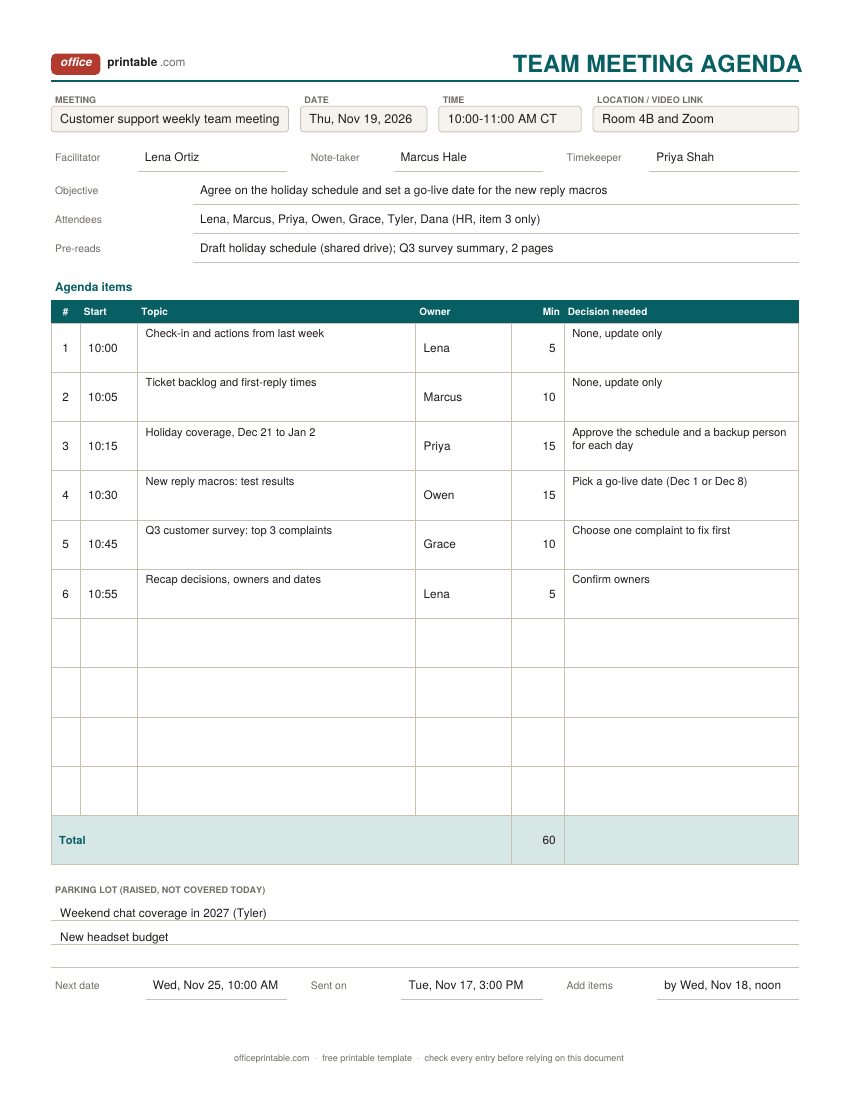
- Objective
- One sentence that finishes "by the end of this meeting we will...". If nobody can write it, the meeting probably is not needed.
- Roles
- Who runs the meeting, who takes notes and who watches the clock. On the board agenda, the chair, the secretary and the quorum the bylaws require.
- Pre-reads
- The documents people should open first, with where to find them. A board packet usually goes out with the agenda.
- Start time, owner and minutes
- Every item gets a start time, one person who leads it and a number of minutes. The Excel and ODS files total the minutes so you can see whether the plan fits the slot.
- Decision needed
- What the group has to settle on each item, written as a question or a choice. Items marked "update only" can often go in an email instead.
- Parking lot
- Topics raised that do not belong on today's agenda. Write them down so they are not lost, then put them on a later meeting.
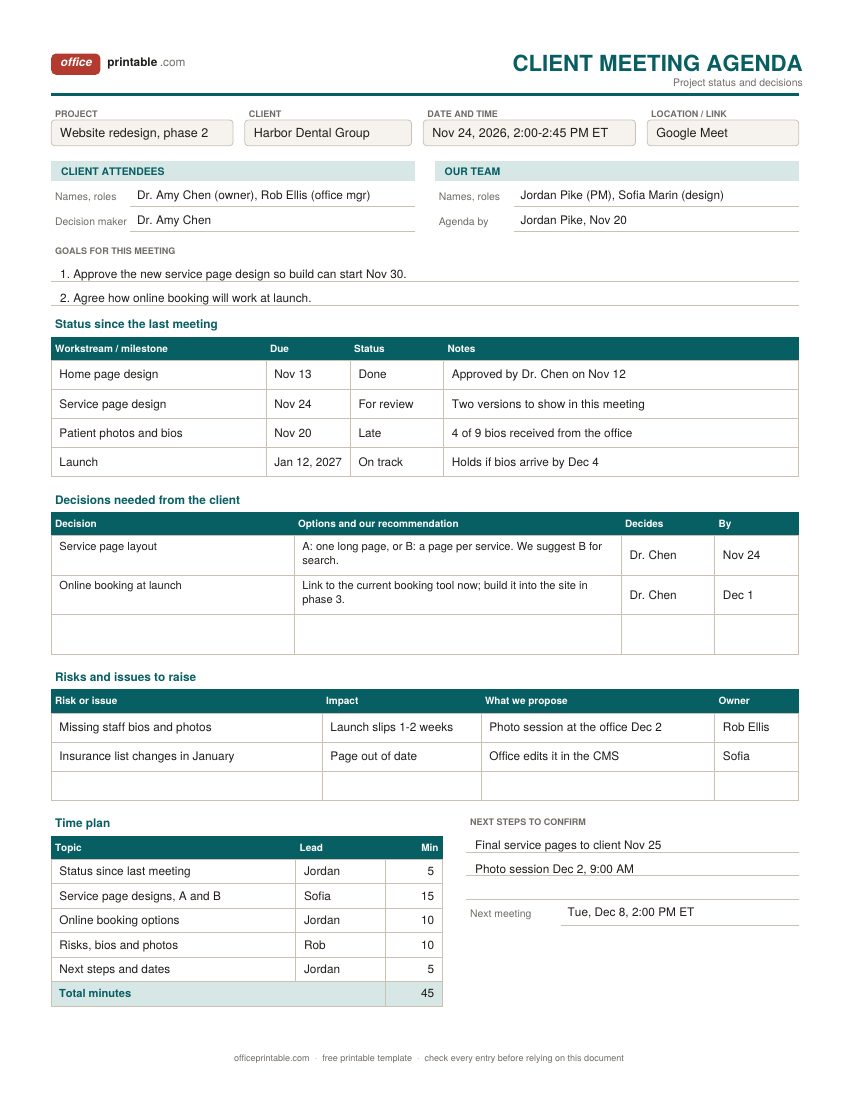
- Decisions and risks for clients
- On the client design, the decisions you need from the client with your recommendation and a deadline, and the risks you want them to know about.
How to write a meeting agenda people actually use
Start with the outcome, not the topics. "Weekly sync" tells nobody anything. "Agree on the holiday coverage schedule and pick a launch date" tells every attendee what to think about on the way in. Put that sentence at the top of the agenda.
Then list the topics that serve the outcome, and only those. For each one write who leads it and what the group has to do with it: hear an update, discuss options, or make a decision. When people know an item ends in a decision they come prepared, and the chair knows when the item is finished.
A few habits make a big difference:
- Put the items that need a decision near the top, while people are fresh and before the clock runs out.
- Write topics as questions where you can. "Which vendor do we use for the freezer?" is easier to close than "Freezer".
- Name an owner for every item. An item with no owner tends to drift.
- List the reading. If a document needs to be read, attach it or link it, and say so on the agenda.
- Ask for agenda items by a cut-off time, so the final version is not rewritten as people walk in.
Timing each agenda item
Give every item a number of minutes and a start time. It feels fussy the first time, but it's the quickest way to see that six topics won't fit in thirty minutes. Add up the minutes (the Excel version does this for you) and compare the total with the length of the meeting. If it runs over, cut or move items before you send the agenda, not during the meeting.
Some rough guides that work for most teams: five minutes for a check-in or a list of announcements, ten for a status update, fifteen to twenty for a real discussion that ends in a decision. Leave five minutes at the end to read back the decisions and owners. A timekeeper who calls out "two minutes left" isn't rude; it's the job.
If people join from different cities, choose a slot that's reasonable for all of them with the time zone meeting planner and put the time zone next to the start time on the agenda.
When to send the agenda
For a regular team meeting, send the agenda 24 to 48 hours before the meeting. That gives people time to read what is attached and to add a topic, without being so early that the agenda is forgotten. Attach it to the calendar invitation as well as the email, so it's one click away when the meeting starts.
Board meetings usually need more notice. Many boards send the agenda and the board packet about a week ahead so directors can read the reports, and some organizations have notice rules in their bylaws or in state law, especially homeowner and condo associations and public bodies. Check those rules and write how and when notice was given on the agenda.
Board meeting agenda template: the usual order of business
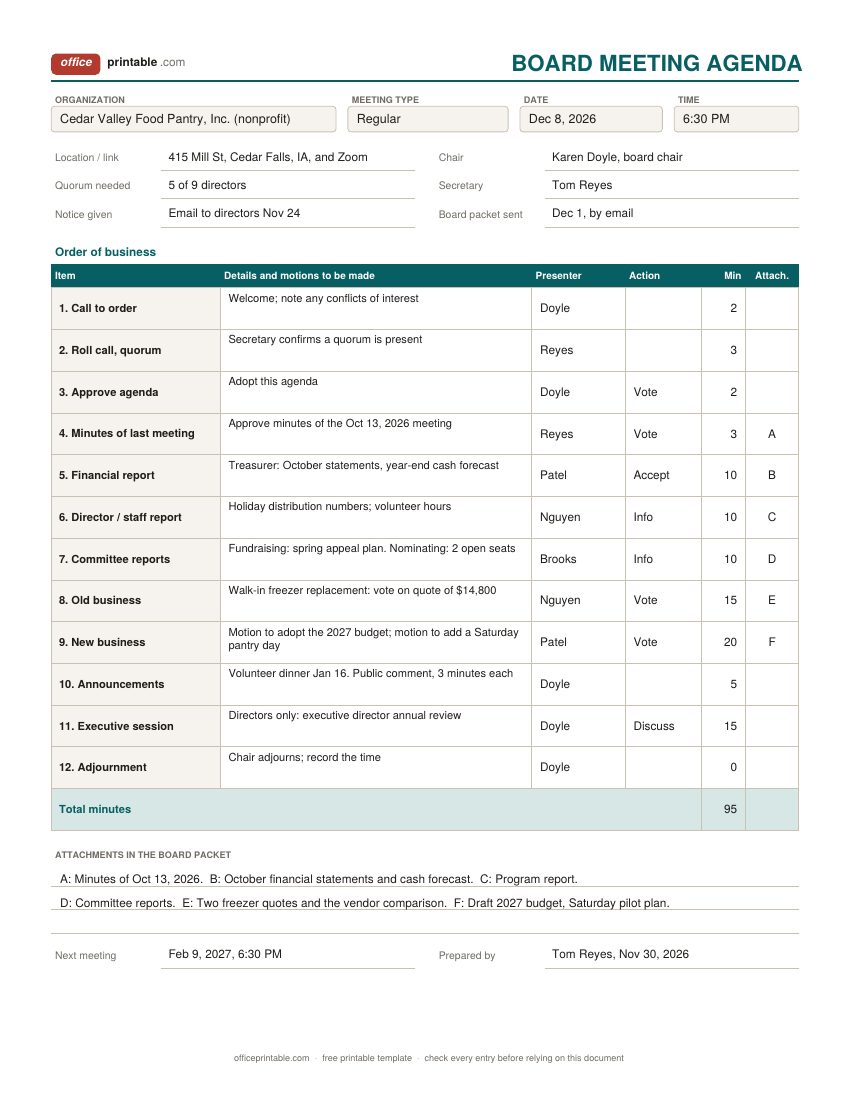
Most boards follow an order of business close to the one in Robert's Rules of Order, adapted a little. A typical board meeting agenda runs like this:
- Call to order by the chair.
- Roll call and confirming that a quorum is present.
- Approval of the agenda. Some boards use a consent agenda here for routine items.
- Approval of the minutes of the previous meeting.
- Reports: the treasurer or financial report, the executive director or staff, then committees.
- Old (unfinished) business carried over from earlier meetings.
- New business, where most motions are made.
- Announcements and, if your board allows it, public comment.
- Executive session, if needed, with directors only.
- Adjournment.
Your bylaws decide the details, such as the quorum, who may attend, and whether an executive session is held and where it sits in the meeting. Many nonprofit boards hold it at the end. Board materials are usually labeled with a letter (Attachment A, B, C) and that letter goes in the last column of the agenda so directors can find each report quickly. This is general information, not legal advice; check your bylaws and, if in doubt, your organization's attorney.
Client and project meeting agendas
A client meeting has a different job from an internal team meeting. The client mainly needs to know where the project stands and what you need from them. So the client design puts status first, in a short table with one line per workstream, and then a list of decisions the client has to make. Each decision has the options, your recommendation and a date which turns a vague "let us know your thoughts" into a clear ask.
Raise risks early and in writing. A risk that appears on the agenda two weeks before it bites is a shared problem; the same risk raised on launch day is your problem. If you already send a weekly project status report, the meeting can skip the detail and spend its time on the decisions. For the very first meeting of a new project, the project kickoff checklist covers what to agree on before work starts.
Meeting agenda vs meeting minutes
The agenda is the plan, written and sent before the meeting. The minutes, or notes, are the record written afterward: who attended, what was decided, and who will do what by when. They work as a pair. A good agenda makes the minutes easy, because the note-taker can write the decisions against each numbered item.
For the record afterward, use the meeting minutes template, which has a board minutes form with motions and votes. Actions that run across several meetings belong on the meeting action item tracker, which also has a one-on-one template and a stand-up log.
Common agenda mistakes
- No stated objective, so the meeting turns into a round of updates.
- Too many items for the time. Ten topics in an hour means none of them gets a real answer.
- Status updates that could have been an email taking the first half hour.
- The decision item placed last, where it gets rushed or pushed to next week.
- Sending the agenda five minutes before the meeting, or not at all.
- Inviting people who only need to hear one item. Give them a time and let them join for that part.
- Letting a side topic take over. Write it in the parking lot and move on.
Editing the free meeting agenda template files
The PDFs are fillable, so you can type straight into them and print, or print them blank and write by hand. The Word versions can be changed freely; add rows, rename columns or put your logo in the header. In the Excel and ODS files, type the minutes for each item and the total updates at the bottom. Save a master copy of the team meeting agenda with your standing items and roles filled in, then copy it each week. More forms for running work are in project templates.
Questions
What should a meeting agenda include?
The meeting name, date, time and place or video link, the objective, the attendees, anything to read beforehand, and a list of items with an owner and a time for each. Marking which items need a decision helps a lot.
How far in advance should I send a meeting agenda?
For most team and client meetings, 24 to 48 hours ahead works well. Boards often send the agenda and reports about a week ahead, and some have notice rules in their bylaws or state law that set a minimum.
What is the standard order of a board meeting agenda?
Usually call to order, roll call and quorum, approval of the agenda and of the previous minutes, reports, old business, new business, announcements, any executive session, and adjournment. Your bylaws can change this order.
How long should each agenda item be?
Five minutes for check-ins and announcements, about ten for an update and fifteen to twenty for a discussion that ends in a decision are sensible starting points. Add up the times and make sure they fit the meeting with a few minutes to spare.
What is a parking lot in a meeting?
A short list of topics that came up but aren't on today's agenda. Writing them down lets the meeting move on without losing the idea, and the chair can schedule them later.
Does the agenda template calculate anything?
The Excel and ODS versions add up the minutes for all items. The PDF is fillable but doesn't do any math.
Comments and questions
Have a question about this template, or an idea to make it better? Leave a comment.
Leave a comment